



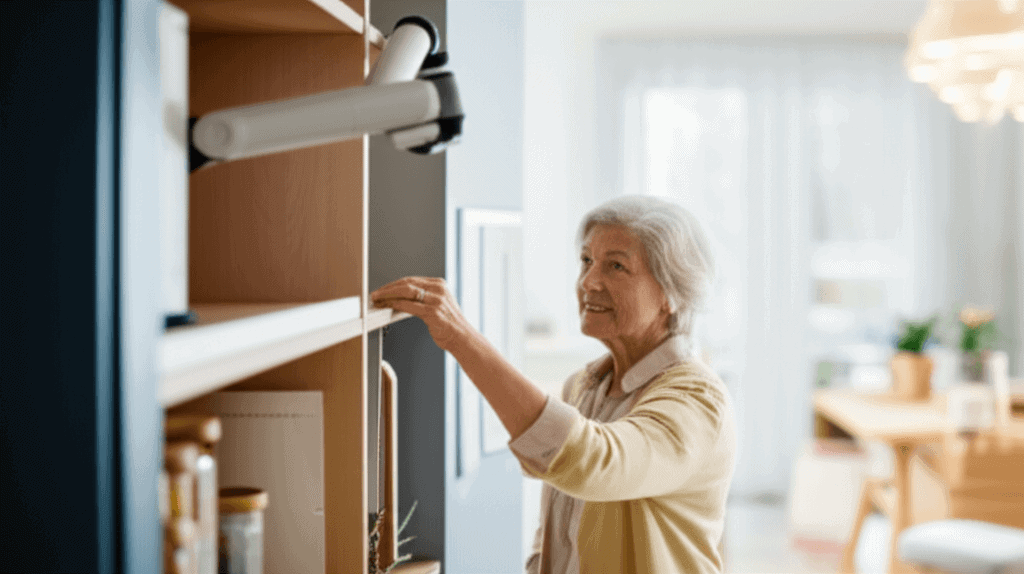
Home-based care for seniors shows rapid progress through smart, tech-powered solutions that boost independence and keep people safe. Families and caregivers don’t have to choose between nonstop watching and the comfort of home anymore. New systems offer constant check-ins, timely reminders, and easy ways to talk with doctors—all while keeping the important human touch alive. This means seniors enjoy freedom without risk, and loved ones gain peace of mind. Discovering these advances opens up a world where aging in place feels both secure and connected. Keep reading to learn how these breakthroughs can change lives for the better.
In this article I explain what these tools do, how they fit into daily life, and sensible ways to select and set up systems that match real needs. Expect concrete examples, actionable tips, and guidance you can use when planning care at home.
Why technology-driven support matters for home care of older adults
Demographic trends are making home care solutions a priority. The number of people aged 60 and over is growing rapidly and health systems are under pressure to provide sustainable options. Technology-based tools can reduce avoidable hospital visits and help people remain in their homes longer while still receiving attention for safety and health needs.
Beyond cost considerations these tools also change daily routines. Simple sensor networks can detect patterns such as meal times and bedroom activity and flag deviations that may indicate a problem. Devices for remote consultations let clinicians check symptoms without travel. These capabilities shift care from reactive to proactive in ways that are practical for families.
Key technologies improving daily living at home
Below are categories of tools that have shown real impact when paired with attentive caregivers.
- Sensors for movement and fall detection that notify a designated contact when unusual events occur
- Medication reminder systems that create schedules and log confirmations of doses
- Wearable devices that track steps heart rate and falls and share data with family or clinicians
- Telehealth platforms that enable video visits and quick check ins with medical teams
- Smart home features such as automated lighting and temperature control that respond to habit patterns
Each of these elements works best when combined into a simple routine that users accept. The goal is to reduce friction not add complexity.
Designing monitoring that protects safety while respecting independence
Monitoring systems need to be proportional to needs and respectful of privacy. A common mistake is installing too many devices or aggressive camera coverage that frustrates the person living at home. Instead focus on critical moments such as nighttime mobility and medication times.
Placement and permission tips
Discuss device locations with the person who will use them. Place motion sensors in hallways and doorways not in private areas. Use wearables only if they are comfortable and easy to recharge. Ask for consent and revisit agreement as needs change.
Alert thresholds and escalation plans
Set alerts so they trigger on sustained inactivity unusual movement patterns or missed medication events. Decide who receives what type of alert and what steps they should take. A clear escalation protocol prevents alarm fatigue and keeps responses timely.
Managing medications and chronic conditions from home
Missed or incorrect medication doses are a major concern. Systems that remind take times and record confirmations lower risk. For chronic conditions such as diabetes or heart disease electronic logs can share readings with clinicians between visits and support medication adjustments without an extra office trip.
Practical routines for medication adherence
Combine a visible reminder such as a pillbox with a digital reminder that sends a timed prompt. When possible use simple devices with clear buttons and audible cues. Train the person and a backup caregiver on how to respond to reminders and what to do if a dose is missed.
Working with clinicians
Share summaries of relevant data rather than raw streams. For example provide a weekly report of blood pressure readings and notes about symptoms. Clinicians can make better decisions when data is concise and paired with clear observations.
Keeping social connection and emotional wellbeing strong
High quality care includes social engagement. Video calls messaging and community platforms reduce isolation. Technology can schedule regular social interactions with family or arrange virtual group activities such as chair exercise or music sessions.
Design social plans that match personal interests. For example join a weekly remote book club for seniors or set a daily welcome call with a neighbor. Little routines add structure to the day and have measurable benefits for mood and cognition.
Choosing the right system for your household
Selection should start with needs assessment not feature lists. Ask these questions first
- Which daily activities are most risky or challenging
- Who will respond to alerts and how quickly
- What is the budget for device purchase and monthly services
- How comfortable is the older adult with new technology
Read user reviews check warranty terms and test devices in the home before committing. For a practical overview of real world setups vendors and pricing options you can dive deeper into a guide that explains trade offs and common configurations.
Cost privacy and legal considerations
Costs vary widely from low cost sensors to subscription based platforms that include monitoring services. Factor in installation and training when creating a budget. Some expenses may be eligible for health savings accounts or covered by local programs.
Privacy is often the top concern. Use systems with clear data policies and options to limit data sharing. Keep accounts protected with unique passwords and enable two factor verification when available. Regularly review who has access and how long data is retained.
Setting up systems for long term success
Successful deployments focus on habit formation and regular review. Start with one or two changes such as a fall sensor and a medication reminder and measure how those affect daily life. Use simple checklists for device maintenance and schedule periodic reviews with family and clinicians.
- Create an onboarding session where the person practices using each device
- Schedule a monthly status check to adjust alerts and routines
- Keep a short written plan that states who responds to which alerts
- Rotate batteries or set calendar reminders for charging to avoid downtime
Here are quick tips for common issues. If devices trigger false alerts reduce sensitivity or relocate sensors. If the person forgets to wear a device try a lighter model or an alternative such as a wristband they already use. For confusion choose interfaces with large text simple icons and voice prompts.
Conclusion and next steps
Technology-driven support is changing what home care looks like by offering practical, user friendly tools that maintain safety and daily routines while preserving dignity. When implemented thoughtfully these systems reduce unnecessary trips to emergency rooms support medication adherence and create more opportunities for social connection. The best results come from matching tools to clearly identified needs engaging the older adult in selection and making sure caregivers know the response plan.
If you are planning a home care strategy begin with a short needs checklist and trial one or two devices. Monitor outcomes and adjust settings based on real day to day experience. Involve clinicians early to make sure data shared helps with decisions. With straightforward planning and attention to privacy and comfort these solutions can make daily life safer and more satisfying for older adults living at home.
Ready to take the next step Plan a friendly conversation with family and a clinician to identify priorities then pilot a small set of tools for 30 days. Keep notes on what works and what does not and iterate from there. If you want more practical examples and vendor comparisons follow the guide suggested earlier and talk with a local home care advisor to match technology to personal needs. Taking action now can reduce stress later and help the person you care for keep as much independence as possible while staying safe.